


With the federal government committing approximately $1.2 trillion in grants and cooperative agreements during fiscal year 2025, government agencies face the complex challenge of managing these substantial funds transparently and efficiently. At this scale, it’s crucial for agencies to demonstrate how funding decisions are approved and how public money is utilized.
Traditional methods, such as spreadsheets and email chains, often fall short, leading to fragmented information, delayed reviews and difficult audit preparations as programs grow. To overcome these challenges, connected grant management software provides a centralized solution, linking application information directly to award decisions.
This guide from IGX Solutions outlines the essential features government agencies should evaluate in such software, ensuring each feature aligns with defined agency processes and assigned responsibilities.
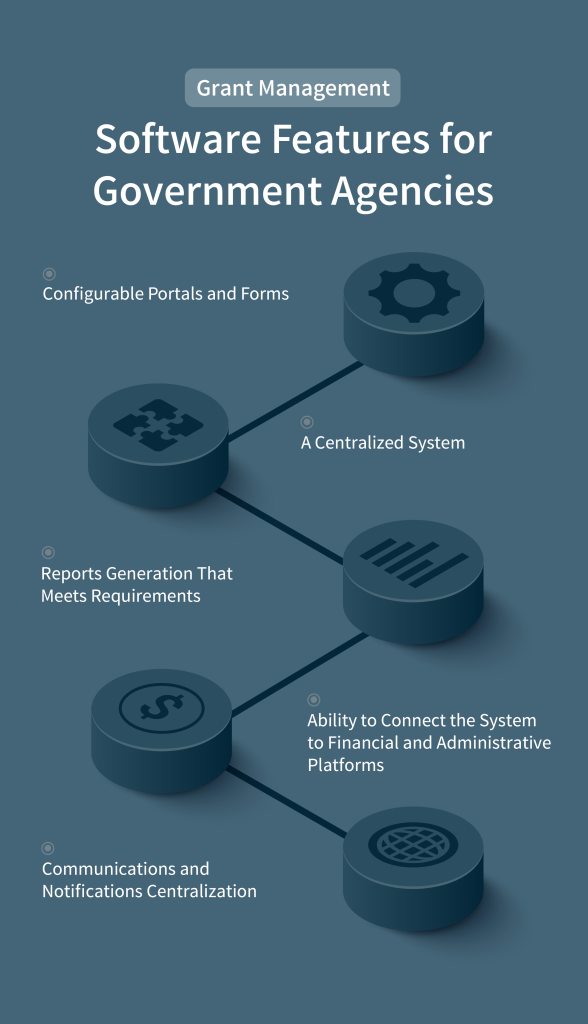
The right grant management software for government agencies covers pre-award work and every administrative stage following approval.
A strong grant management system starts with an efficient way to collect applications. Look for software that offers configurable online portals where agencies can easily gather program-specific information. These portals should save every submission directly within each applicant’s record. Public opportunity pages should clearly display all application instructions and deadlines in one accessible place for applicants.
When assessing the software’s intake and review capabilities, check for these functions:
Once an application is approved, the software should centralize all award management. This means linking the original submission to its agreement, authorized budget, payment schedule, and reporting requirements in a single, comprehensive record.
When evaluating this capability, test the following:
Effective reporting is crucial for understanding program impact and meeting compliance mandates. The software should convert collected data into clear financial information and operational insights. It should also be able to generate separate reports for performance results and public information, as defined by your agency.
Federal regulations, such as 2 CFR § 200.302, require financial records to clearly link every reported expenditure back to its source documentation. This ensures auditors and staff can easily verify how funds were used.
During vendor demonstrations, focus on testing the reporting environment with these points:
Integrating your grant management software with existing agency systems is important. It ensures award data stays consistent with financial records and eliminates time-consuming manual data entry. Each integration should come with a clear “data map” showing which information moves between systems and how it’s validated.
Before implementing any integration, your agency will need reconciliation procedures. These procedures should flag any rejected records and display corrected values, allowing staff to compare and approve updates.
Depending on your agency’s needs, integrations might include financial platforms, geographic information systems, SAM.gov for entity validation, or even USPS for address verification.
When assessing the software, test each required connection against your agency’s specific workflows:
A key benefit of grant management software is its ability to centralize all communications. It should store applicant questions and recipient correspondence directly within the relevant grant record, giving authorized staff a complete view of every interaction. This reduces reliance on individual inboxes for critical document requests and agency notices.
The system should also feature personalized dashboards. These dashboards can display assigned reviews, approvals, approaching deadlines and unresolved messages, allowing employees to manage time-sensitive tasks from a single screen.
During the vendor demonstration, ask them to show you:
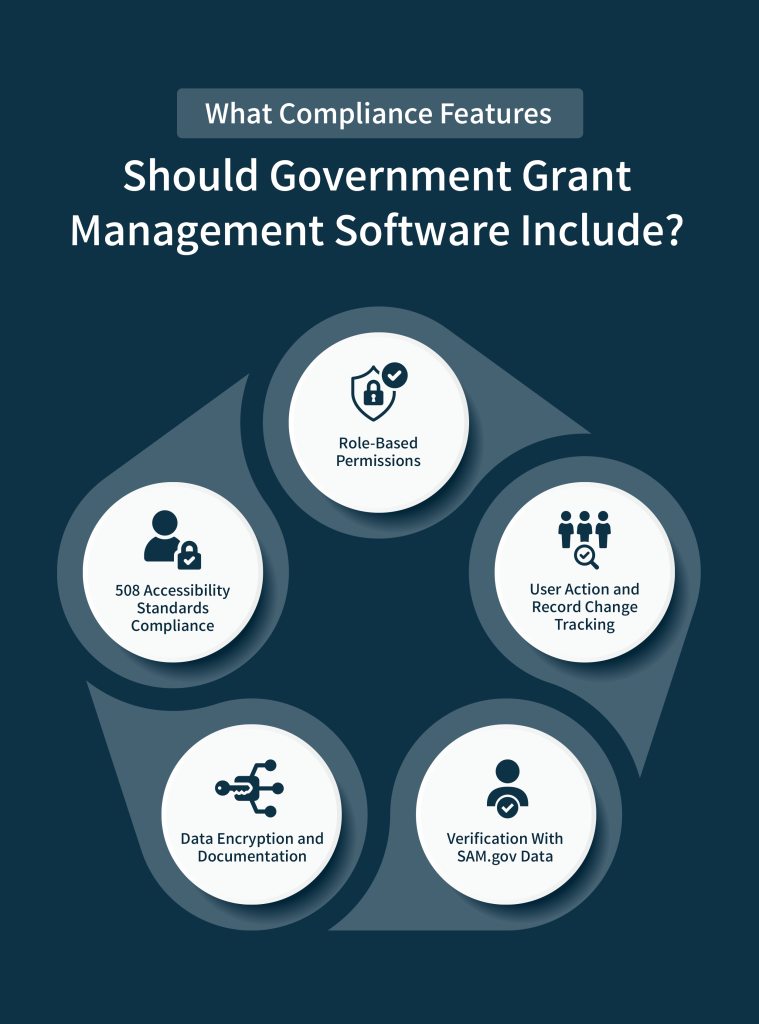
For government agencies, grant management software must include robust compliance features to ensure accountability and adherence to regulations. Key areas to evaluate include controlled data access, comprehensive auditing, federal entity verification, strong data security and accessibility standards.
Role-based permissions are fundamental for limiting user access to only the grant records and workflow actions necessary for their specific responsibilities. Applicants, reviewers, program administrators, finance employees, system administrators, and auditors will all have distinct access levels tailored to their roles and the grant life cycle stages they manage.
During role testing, it’s critical to:
This granular control directly supports effective internal controls required by regulations like 2 CFR § 200.303, by ensuring only authorized users can perform specific system actions.
Auditing requires the software to maintain a comprehensive, searchable history of all user actions and record changes. Administrators can see the current stage of an award and review its entire history, including who made changes, what was changed (showing both old and new values), and when the change occurred.
The system should meticulously track histories for:
For audit preparation, these histories should link to relevant financial records like bank reconciliations. The system must also support setting retention periods based on award terms and agency schedules.
Use SAM.gov data to confirm an entity’s registration and exclusion status before approving an award or subaward. Retrieve the registration record associated with its Unique Entity Identifier (UEI) during each verification. This is crucial for compliance, especially for pass-through agencies verifying that subrecipients are not suspended or debarred, as outlined in 2 CFR § 200.332.
The system should:
It’s important to remember that while SAM.gov verification is essential, it does not replace the need for your staff to document other program-specific eligibility determinations.
Data security is paramount. Agencies must require comprehensive documentation from providers detailing how grant data is encrypted both at rest and in transit, comparing these protections against the agency’s data classification requirements. This evidence must cover all application records, signed agreements and especially financial or personally identifiable information.
Procurement teams should review SOC 2 reports, ensuring the scope of the examination covers all proposed services. Federal security certifications or broader compliance approvals may require additional evidence.
Essential security controls to look for include:
Ensuring accessibility for all users is a critical compliance requirement, particularly for federal agencies adhering to Section 508 standards. State, local and tribal agencies must also align with their respective procurement rules and program-specific accessibility duties.
During procurement, agencies should request an Accessibility Conformance Report (ACR) for the proposed software version. This report documents product conformance with Revised 508 Standards. Thoroughly review any criteria marked as partially supported or unsupported.
Based on ACR findings, agencies should conduct targeted accessibility testing across key grant tasks, linking reported limitations to specific user functions. Key areas to test include:
Any identified accessibility barriers must be documented, remediated and re-tested before procurement approval.
Selecting the right grant management software requires translating your documented requirements into directly comparable vendor demonstrations. Begin by establishing your evaluation framework, then use structured testing to confirm operational fit.
Before contacting vendors, assemble the materials that define how your agency operates:
Assign process mapping to grant administrators, with input from finance and procurement. Have IT document integration requirements and security dependencies separately. This baseline becomes your scoring framework for all vendor proposals.
During demonstrations, ask vendors to configure a representative grant program using your actual forms and workflows, then test:
Request written implementation plans that separate agency tasks from vendor responsibilities, with clear acceptance criteria for each phase.
Before agency-wide rollout, test the configured system with one representative grant program. Define measurable acceptance criteria for application processing, workflow routing, financial reconciliation and reporting accuracy. Finally, use pilot results to refine configurations for subsequent programs.
This evidence-based approach ensures the selected software aligns with your documented processes and assigned responsibilities, not just a standard feature list.
For government agencies, suitable grant management software connects the complete grant life cycle with agency-defined records and controls. From application intake to award administration, assigned user responsibilities govern each action.
A requirements-led procurement process gives evaluators specific evidence about workflow fit and implementation responsibilities. By testing representative tasks against documented controls, your agency can select software that supports its grantmaking duties and operational environment.

